
Punjab Free WiFi Hotspots 2026: Free Internet in Public Places, How to Connect, Cities Covered
Punjab Free WiFi Hotspots 2026 give free internet access to people in public places across Punjab, including parks, hospitals, universities, bus stations and railway stations. The service is run by the Punjab Information Technology Board (PITB) with the Punjab Safe Cities Authority (PSCA), and it is meant for essential daily use such as study, job applications, online forms and staying in touch with family. This guide explains where the hotspots are, how to connect with your mobile number, what speed and limits to expect, and how to stay safe on a public network.
Before you visit a hotspot, remember one important point: this is a free public service at fixed locations. There is no home connection, no monthly package and no registration fee. Anyone who is physically near a hotspot can try to connect. All facts in this article are taken from the official PITB page and from reputable news reports, and anything that could not be verified is clearly marked as not officially announced.
Quick Overview: Punjab Free WiFi Hotspots 2026
| Information | Details |
|---|---|
| Program Name | Punjab Free WiFi Hotspots (CM Punjab Free WiFi Service) |
| Responsible Departments | Punjab Information Technology Board (PITB) and Punjab Safe Cities Authority (PSCA) |
| Program Purpose | Free, easy and reliable internet access in major public places to bridge the digital divide |
| Who Can Use It | Anyone present at a hotspot location — students, job seekers, patients and families, commuters, freelancers |
| Cost | Free of charge at public hotspots |
| Hotspots (Official PITB Figure) | 200 hotspots in Lahore, Rawalpindi, Faisalabad, Multan, Bahawalpur and Murree |
| Hotspots (Reported PSCA Figure, January 2025) | 270 hotspots across 11 districts, with more than 200 in Lahore alone |
| Where Hotspots Are Located | Educational and government buildings, public parks, marketplaces, hospitals, railway stations, airports and bus stations |
| How to Connect | Select the “Punjab Free Wi-Fi” network, enter your mobile number and verify with an OTP (reported method) |
| Official Website | pitb.gov.pk — Punjab Free WiFi Hotspots |
| Last Updated | 5 November 2026 |
Latest Update on Punjab Free WiFi Hotspots 2026
The Punjab free WiFi programme started years ago as a small project in Lahore and has grown in stages. The official PITB page confirms 200 hotspots in six districts — Lahore, Rawalpindi, Faisalabad, Multan, Bahawalpur and Murree — and says the Chief Minister of Punjab has approved extending the project to other major cities of the province.
In January 2025, the Punjab Safe Cities Authority reported a bigger network: 270 WiFi hotspots across 11 districts, with more than 200 locations in Lahore alone. The same report said over 13 million users had already used the service and consumed more than 265 terabytes of data since the programme began. The 11 districts named were Lahore, Kasur, Nankana Sahib, Sheikhupura, Sialkot, Gujrat, Jhelum, Attock, Sahiwal, Okara and Murree. Later, in July 2025, free WiFi was switched on in Rahim Yar Khan as well, at places including the railway station, Adda Khanpur, City Pull, School Bazaar, Jail Chowk and Hospital Chowk.
Some websites claim the service now covers 22 cities, and others claim a target of all 36 districts of Punjab by mid-2026. These figures come from scheme and news blogs, not from an official PITB or PSCA list, so they are reported — not confirmed. No official list of 22 cities and no official completion date for a province-wide rollout could be verified as of 5 November 2026. Readers should check the PITB page or the Safe Cities Authority’s announcements before travelling to a new city expecting a hotspot.
Another reported upgrade is WiFi 6 equipment in Lahore, with the number of hotspots in the city rising from 200 to 230. This was reported in March 2025 by a news aggregator and has not been confirmed on the official PITB page, so treat it as reported rather than official. What is confirmed is that the service is still active, still free, and still expanding city by city.
Who Can Use Punjab Free WiFi? Eligibility
Punjab Free WiFi is a public service, not a targeted welfare scheme, so there is no application form, no income limit and no PMT score. There are no BISP-style eligibility rules here. In simple terms:
- Anyone can use it. Students, job seekers, freelancers, shopkeepers, patients, attendants at hospitals, commuters and tourists can all connect if they are within range of a hotspot.
- You must be physically present at a hotspot location — a park, hospital, university, bus station, railway station, market or government building where the service is live.
- You need a WiFi-enabled device — a smartphone, tablet or laptop.
- You need a mobile number that can receive an SMS, because the reported login method uses a one-time password (OTP) sent to your phone.
- There is no age limit and no CNIC requirement announced officially. Some blogs say a CNIC number can be used instead of a mobile number for login. This could not be verified from an official source, so it is marked as not officially announced.
- No registration or fee is required. If anyone asks you for money to “activate” free WiFi, that is a scam. The service is free at the hotspot itself.
If you are a student who needs internet for online classes, or a job seeker who needs to submit applications, this service is designed for you. It is also useful for people who run out of mobile data while travelling. For digital skills training that pairs well with free internet access, see our guide to DigiSkills Batch 05 enrolment 2026, which offers free online IT courses for Pakistani youth.
How to Connect to Punjab Free WiFi: Step-by-Step Guide
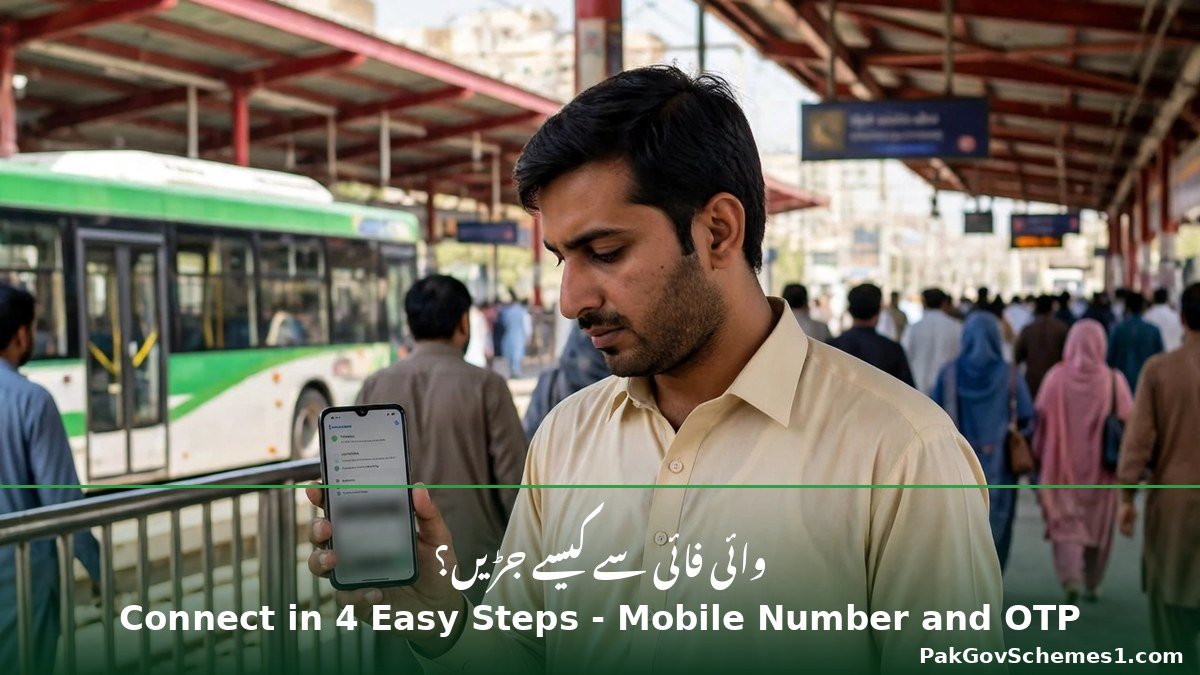
Connecting is simple and takes about two minutes. The steps below are the method reported by multiple news sources and user guides. The official PITB page does not publish a connection guide, so if the login screen at your location looks slightly different, follow the instructions shown on that screen.
- Go to a hotspot location. Visit a public park, hospital, university, metro or bus station, railway station or market where the service is active. You must be within about 50 metres of the access point for a stable signal.
- Turn on WiFi on your phone or laptop. Open Settings, then WiFi, and wait for the list of available networks to load.
- Select the network named “Punjab Free Wi-Fi”. This is the network name reported by users and news reports. If you see several similar names, choose the one shown on the signboard at the location, and never connect to a copycat network asking for your password.
- Wait for the login page. A captive portal page should open automatically in your browser. If it does not, open your browser and try to visit any website — you will usually be redirected to the login page.
- Enter your mobile number. Type the number of the SIM in your phone. A one-time password (OTP) will be sent to that number by SMS.
- Enter the OTP. Type the code on the login page and submit. Your device should now be connected to the internet.
- Start browsing. Use the connection for study, email, forms, job portals and messaging. Avoid banking apps and avoid entering passwords on public WiFi unless necessary.

If the login page does not appear, try turning WiFi off and on again, forgetting the network and reconnecting, or opening your browser in private mode. If the OTP does not arrive, check that your phone has mobile signal and that your SMS inbox is not full. Some users report that the session lasts about 60 minutes and that you can reconnect afterwards, but the exact session length is not officially announced and may differ by location.
Cities and Places Covered by Punjab Free WiFi Hotspots
The officially confirmed coverage, from the PITB page, is 200 hotspots in six districts: Lahore, Rawalpindi, Faisalabad, Multan, Bahawalpur and Murree. The PSCA reported in January 2025 that the network had grown to 270 hotspots across 11 districts. The table below combines both, with the source of each figure clearly marked.
| District / City | Status | Typical Hotspot Locations |
|---|---|---|
| Lahore | Confirmed — 200+ hotspots | Metro and bus stations, parks, colleges, universities, hospitals |
| Rawalpindi | Confirmed (PITB) | Bus terminals, Saddar, government buildings |
| Faisalabad | Confirmed (PITB) | Clock Tower area, University of Agriculture, public places |
| Multan | Confirmed (PITB) | Hospitals, parks, bus stations |
| Bahawalpur | Confirmed (PITB) | Public places, educational buildings |
| Murree | Confirmed (PITB) | Public places, tourist areas |
| Kasur | Reported (PSCA, Jan 2025) | Public places, government buildings |
| Nankana Sahib | Reported (PSCA, Jan 2025) | Public places |
| Sheikhupura | Reported (PSCA, Jan 2025) | Public places |
| Sialkot | Reported (PSCA, Jan 2025) | Public places, railway station area |
| Gujrat | Reported (PSCA, Jan 2025) | Public places |
| Jhelum | Reported (PSCA, Jan 2025) | Public places |
| Attock | Reported (PSCA, Jan 2025) | Public places |
| Sahiwal | Reported (PSCA, Jan 2025) | Public places |
| Okara | Reported (PSCA, Jan 2025) | Public places |
| Rahim Yar Khan | Reported (July 2025) | Railway station, Adda Khanpur, City Pull, School Bazaar, Jail Chowk, Hospital Chowk |

Within these cities, hotspots are placed where crowds gather: public parks such as Model Town Park, Bagh-e-Jinnah and Jilani Park in Lahore; government hospitals; universities and colleges; railway stations; airports; metro and bus stations; and busy markets. According to PITB, the highest use of the hotspots has been recorded at hospitals, followed by universities and colleges — which makes sense, because patients’ families often wait for hours and students need internet for study.
There is no official online map of hotspot locations published by PITB or PSCA that could be verified. If you are travelling to a new city, the practical way to check coverage is to visit the main park, hospital, bus station or railway station and look for the “Punjab Free Wi-Fi” network on your phone. You can also read our guide to the Punjab PIVOT STEP portal 2026 for other Punjab government digital services that work alongside free WiFi access.
Speed, Data Limit and Usage Rules
Free public WiFi is shared by many people at once, so it comes with fair-use rules. Some figures below are reported by news and scheme websites rather than published officially, and they are labelled as such.
| Detail | Verified Information |
|---|---|
| Cost | Free — confirmed by PITB and PSCA |
| Speed | Up to 20 Mbps per user — reported by scheme websites, not officially announced |
| Typical real speed | 5–10 Mbps in busy hours — reported by user guides, not officially announced |
| Daily data limit | Not officially announced. Some user guides report a 500 MB to 1 GB daily cap per device, but this is unconfirmed |
| Session length | Not officially announced. Some guides report about 60 minutes per session, with reconnection allowed |
| Video streaming | Not intended for video streaming or entertainment — confirmed by PSCA spokesperson |
| Best use | Browsing, email, online forms, study, messaging, job applications — confirmed as the intended purpose |
| Hours | Not officially announced. Some guides report 6 AM to 10 PM at most places, with major locations 24/7, but this is unconfirmed |

The PSCA has been clear about one rule: the service is meant for essential daily tasks, not for watching movies or streaming HD video. Heavy streaming slows the network for everyone, and the system may block or limit it. If your work needs large downloads, use the hotspot for browsing and forms, and save big downloads for your home connection. Students using free internet to build skills can also benefit from the Punjab e-Bike Phase 2 distribution, which helps students travel to campuses where these hotspots are available.
Documents Needed to Use Punjab Free WiFi
There is no application and no document list for this service. You do not need to submit a CNIC copy, a form, or any certificate. In practice, all you need is:
- A smartphone, tablet or laptop with WiFi switched on.
- A mobile number that can receive an SMS with the OTP code.
- Yourself, at the hotspot. The service works only within range of the access point.
Some blogs say you can log in with a CNIC number instead of a mobile number. This could not be verified from any official source, so it is not officially announced. Do not share your CNIC number, CNIC photo or OTP code with any person who claims to connect you to free WiFi — the real service never asks for these through an agent or a WhatsApp message.
Troubleshooting: Common Problems and Fixes
Public WiFi can be slow or fail to connect, especially at busy times. Try these fixes in order before assuming the hotspot is down.
1. The network name does not appear
Move closer to the main building, park entrance or station hall, and wait a few seconds. WiFi signals weaken quickly through walls and trees. If the network still does not appear, the hotspot may be switched off or out of service at that spot — try another location nearby.

2. The login page does not open
Turn WiFi off and on, forget the network and reconnect, then open your browser and try to visit any website. If the page still does not load, clear your browser cache or try another browser. Some phones need mobile data switched off before the captive portal appears.
3. The OTP does not arrive
Check that your phone has mobile signal and that your inbox is not full. Wait two minutes and request the code again. If you have requested the code several times in a row, wait 15 minutes before trying again. Never share the OTP with anyone who calls or messages you claiming to be from PITB or Safe Cities.
4. Connected, but no internet
This usually means the session has expired or the hotspot is overloaded. Disconnect, forget the network, reconnect and log in again. If many people are using the same hotspot, try again at a quieter time, such as early morning.
5. Very slow speed
Speed drops when a hotspot is crowded. Move closer to the access point, close video apps and automatic updates, and use the connection for light work such as forms, email and reading. Remember that video streaming is not the intended use of this service.
6. The hotspot disconnects again and again
Your device may be switching between the free WiFi and your mobile data. Turn mobile data off while using the hotspot, and switch off “auto-switch to mobile data” in your WiFi settings. If the problem continues at one location only, that access point may be faulty.

Official Helpline and Complaint Procedure
The official PITB page states that trained staff are available at a call centre 24/7 for technical support and complaint handling for the free WiFi hotspots. However, the page does not publish a helpline number, and no public PITB WiFi helpline number could be verified from an official source as of 5 November 2026. The number is therefore not officially announced in this article — do not trust a helpline number copied from a random Facebook post or blog.

If a hotspot is not working, these are the safe ways to report it:
- Visit the official PITB website at pitb.gov.pk and use the contact or feedback channel listed there.
- Contact the Punjab Safe Cities Authority through its official website or social media pages, which manage the service on the ground in many districts.
- Visit the office of the location — for example, the administration office of the hospital, university or station where the hotspot is installed — and report the faulty access point.
- Do not pay anyone to fix or activate your connection. Repairs and activation are the government’s job, not a paid service.
Common Mistakes to Avoid
- Believing “free WiFi at home” posts. This service works only at public hotspots. Any post offering free WiFi installation at your house is fake.
- Paying an agent or shopkeeper. Connection is free and takes two minutes. No agent, form or fee is involved.
- Sharing your OTP or CNIC photo. The OTP is only for the login page on your own phone. Nobody from PITB or Safe Cities will ask for it by call or WhatsApp.
- Connecting to copycat networks. Only connect to the network name shown at the location. A similarly named network run by a stranger can steal your data.
- Doing banking on public WiFi. Avoid logging into bank apps or entering card details on a public network. If you must, use your mobile data instead.
- Expecting HD streaming. The service is meant for essential use. Streaming video will be slow and may be blocked.
- Trusting unverified city lists. Blog lists of 22 cities are not official. Check on the spot before travelling somewhere only for WiFi.
Fake Claims About Punjab Free WiFi — What Is Not True
Because free internet is popular, fake claims spread quickly on Facebook, WhatsApp and TikTok. Here are the ones readers should not believe:
- “Register on WhatsApp to get free WiFi at home.” False. There is no WhatsApp registration and no home service. Hotspots are only in public places.
- “Pay Rs 500 to activate lifetime free WiFi.” False. The service is free and there is no activation fee or lifetime package.
- “Download this app to get Punjab free WiFi.” False. No official app has been announced for this service. Do not install unknown apps that ask for your CNIC or bank details.
- “Free WiFi is now available in every village of Punjab.” Not confirmed. The verified coverage is 11 districts reported by PSCA, with expansion ongoing. Village-wide coverage has not been officially announced.
- “Unlimited high-speed internet with no limits.” Misleading. The service is shared, fair-use applies, and streaming is discouraged by the PSCA itself.
If you see one of these claims, do not forward it. Check the PITB page first, and report the post if it asks for money or personal documents.
Frequently Asked Questions
1. Is Punjab Free WiFi really free?
Yes. The service is completely free at public hotspots, according to both PITB and the Punjab Safe Cities Authority. There is no fee, no package and no registration charge. If anyone asks you for money to activate it, that person is running a scam.
2. How do I connect to Punjab Free WiFi?
Turn on WiFi on your phone, select the network named “Punjab Free Wi-Fi”, wait for the login page, enter your mobile number and type the OTP code sent to you by SMS. This is the method reported by news sources; the official PITB page does not publish a connection guide.
3. Which cities have Punjab Free WiFi hotspots?
Officially confirmed: Lahore, Rawalpindi, Faisalabad, Multan, Bahawalpur and Murree, with 200 hotspots. The PSCA reported 270 hotspots across 11 districts, adding Kasur, Nankana Sahib, Sheikhupura, Sialkot, Gujrat, Jhelum, Attock, Sahiwal and Okara. Rahim Yar Khan was added in July 2025.
4. Is there a daily data limit on Punjab Free WiFi?
No official daily data limit has been announced. Some user guides report a cap of about 500 MB to 1 GB per device per day, but this is unconfirmed. The PSCA has confirmed only that the service is meant for essential use and that video streaming is discouraged.
5. What is the speed of Punjab Free WiFi?
Some scheme websites report speeds of up to 20 Mbps per user, but this figure is not officially announced. In practice, users report 5–10 Mbps during busy hours. Speed depends on how many people are using the same hotspot at the same time.
6. Do I need a CNIC to use Punjab Free WiFi?
No CNIC has been officially announced as a requirement. The reported login method uses a mobile number and an SMS OTP. Some blogs say a CNIC number can also be used, but this could not be verified from an official source.
7. Can I watch YouTube or Netflix on Punjab Free WiFi?
The PSCA has said the service is not intended for video streaming or entertainment. It is designed for browsing, study, communication and official work. Streaming may be slow or restricted, and heavy use affects other users sharing the same hotspot.
8. How do I complain if a hotspot is not working?
PITB says trained staff are available at a call centre 24/7 for technical support and complaints, but no public helpline number is published on its page. Report the fault through the official PITB website, the Punjab Safe Cities Authority’s official channels, or the administration office of the hospital, university or station concerned.

9. Is Punjab Free WiFi safe to use?
It is a public network, so it is less safe than your home WiFi or mobile data. Avoid banking apps, do not enter passwords on unknown websites, and never share OTPs or CNIC photos. The PSCA says security protocols and monitoring are in place, but you should still protect your own information.
10. Will free WiFi come to my city or village?
The Chief Minister has approved extending the project to more major cities, and Rahim Yar Khan was added in July 2025. Claims of 22 cities or all 36 districts by a set date are reported by blogs and are not officially confirmed. No official timetable for village coverage has been announced.

Important Safety Notice
Public WiFi is convenient, but it is shared with strangers. Never enter bank details, passwords or CNIC information while connected to a public hotspot unless you have no other choice, and never share your OTP code with anyone. Connect only to the network name displayed at the location, and avoid downloading apps or files from unknown links while on public WiFi. PakGovSchemes1.com is an independent informational website and is not affiliated with any government department. Always verify hotspot availability, coverage and rules through the official PITB website before travelling.
Conclusion
Punjab Free WiFi Hotspots 2026 offer a genuinely useful service: free internet in parks, hospitals, universities, bus stations and railway stations across at least 11 districts of Punjab, with 200 hotspots confirmed by PITB and 270 reported by the Safe Cities Authority. Connecting takes two minutes with a mobile number and OTP, and the service costs nothing. Use it for study, job applications and essential browsing, follow the safety tips in this guide, and ignore fake posts about home connections or activation fees. Check the official PITB page for the latest coverage before you travel, and revisit this page for verified updates.
Official Sources
- Punjab Information Technology Board — Punjab Free WiFi Hotspots: https://www.pitb.gov.pk/node/3102 (official — confirms 200 hotspots in 6 districts, locations, 24/7 call centre, CM approval for extension)
- The Express Tribune — “Lahoris can now enjoy free Wi-Fi at these 200 locations” (15 January 2025): https://tribune.com.pk/story/2522331/lahoris-can-now-enjoy-free-wi-fi-at-these-200-locations?amp=1 (reputable news — 270 hotspots, 11 districts, 13 million users, 265 TB data, no streaming)
- TechJuice — “Punjab Govt Rolls Out Free Wi-Fi to 11 New Districts” (16 January 2025): https://www.techjuice.pk/punjab-govt-rolls-out-free-wi-fi-to-11-new-districts-as-part-of-digital-revolution/ (reputable news — 270 hotspots, 13 million users, 265 TB data)
- CW Pakistan — “Punjab expands free public Wi-Fi to Rahim Yar Khan” (14 July 2025): https://cwpakistan.com/punjab-expands-free-public-wi-fi-to-rahim-yar-khan-as-digital-connectivity-grows/ (reputable news — Rahim Yar Khan addition, hotspot locations)
- MM News — “Free Wi-Fi service launched at over 200 locations across Lahore” (15 January 2025): https://mmnews.tv/free-wi-fi-service-launched-at-over-200-locations-across-lahore/ (reputable news — PITB oversight, 270 hotspots, 13 million users)
Disclaimer: PakGovSchemes1.com is an independent informational website and is not affiliated with any government department. Information is compiled from available official announcements and other identified sources and may change. Please verify eligibility, registration status, payment details, and deadlines through the relevant official government website before taking action.

