NADRA Family Registration Certificate FRC 2026 online apply is a task many Pakistanis need for visa applications, immigration files, and family record proofs — and it is also surrounded by fake websites. The Family Registration Certificate (FRC) is NADRA’s official record of the family members registered against a person. In 2026, the routine online route is NADRA’s official PakID mobile app, published as Pak Identity, or a visit to a NADRA Registration Centre. The reported fee is Rs 1,000 for one family type and Rs 2,000 combined, with one-day executive processing in recent checks. This guide explains the FRC types, the PakID steps, record corrections, and how to spot copycat sites.
Quick Overview
| Item | Detail |
|---|---|
| Certificate | Family Registration Certificate (FRC) — NADRA’s record of registered family members |
| Issued by | National Database and Registration Authority (NADRA) |
| Online route (2026) | Official PakID app (Pak Identity) on Google Play / Apple App Store |
| In-person route | Any NADRA Registration Centre |
| Types | By birth, by marriage, and combined (both families) |
| Fee (reported, recent checks) | Rs 1,000 for one family type; Rs 2,000 combined — confirm the fee shown in the app before paying |
| Processing (reported) | 1-day executive processing in recent NADRA fee listings |
| Delivery | Certificate as PDF by email / in the PakID app inbox; no courier delivery for FRC |
| Official website | nadra.gov.pk — and the official PakID app only |
| Web portal note | Do not rely on the old id.nadra.gov.pk web application: September 2026 sources report services moved to the app |
Latest Update
As of September–October 2026 checks, NADRA’s fee listing shows the FRC only in the executive category: Rs 1,000 for a single family type (by birth, by marriage, or by adoption as listed in some fee tables) and Rs 2,000 for both families combined, with a one-day timeline. That timeline is counted after payment for PakID applications. Because fees can change by NADRA notification, the fee shown inside the app at the moment you apply is the figure you should pay — if it differs from this article, the app’s figure prevails, and you should keep the receipt.
The other important 2026 change is the channel itself. September 2026 guides report that NADRA’s online FRC service now runs through the PakID mobile app, and the old web application at id.nadra.gov.pk should not be assumed to still work for a new FRC application. If a website tells you to apply on id.nadra.gov.pk as the current route, treat that instruction as outdated and check the app or a Registration Centre instead.
What Is an FRC, and What Does It Show?
An FRC shows a person’s registered family composition as recorded by NADRA. It is not a CNIC, not a birth certificate, and not a marriage certificate on its own: it is a certificate built from NADRA’s family linkage records. It can only show what NADRA’s record already says: if a family member is missing, wrongly linked, or recorded under a different spelling, the FRC will reflect that error until the underlying NADRA record is corrected. You cannot edit an FRC the way you edit a form. Correction happens in the NADRA record first, and a fresh FRC is then issued from the corrected record.
Eligibility
Anyone whose family record exists in NADRA’s database can apply for their own FRC, subject to NADRA’s verification. In practice, applicants need:
- A valid CNIC or NICOP, as applicable, so NADRA can identify the applicant’s record.
- A family record in NADRA’s system. If your family linkage was never created — for example, a marriage or a child’s registration was never recorded — the FRC cannot invent it; the underlying registration must be completed first.
- For a married person’s FRC by marriage, a marriage recorded in NADRA’s system. An unregistered marriage will not appear until it is properly recorded.
- Biometric or identity verification through the PakID app or at the centre, as NADRA requires for that application.
- Payment of the applicable fee through the official channel only.
Overseas Pakistanis can also apply, through the PakID app or a NADRA centre/mission route as applicable. Older tables quoted a US $30 fee for overseas FRC applications; that figure is Not officially announced as the current 2026 figure in the recent fee material checked, so overseas applicants should confirm the fee shown in the app or at the mission before paying.

Step-by-Step Registration: Apply Through the PakID App
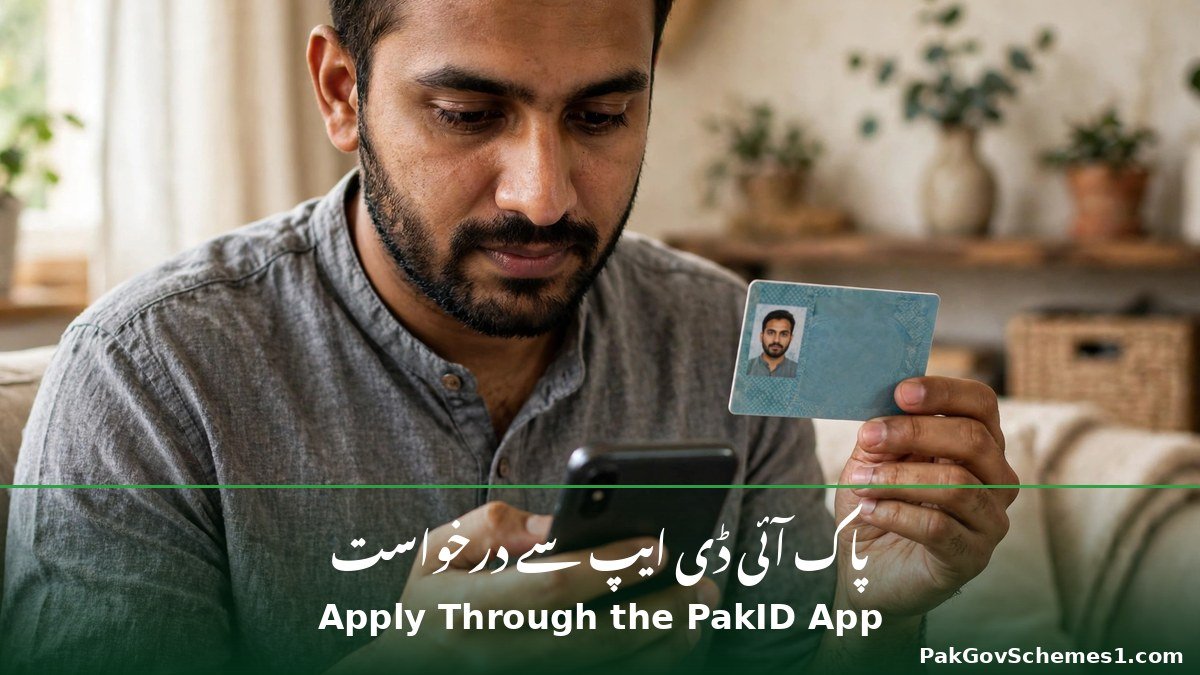
- Download only the official app. Search for Pak Identity by NADRA on Google Play or the Apple App Store, and check the publisher is NADRA. Never install an APK file from a website, WhatsApp link, or third-party store.
- Register or log in. Register with your CNIC, mobile number, and email address, and complete the app’s identity and biometric verification steps. Keep your login details private.
- Select the FRC service. In the app, choose the Family Registration Certificate service. The app will show your family record as NADRA holds it — read it before choosing a type.
- Choose the FRC type. Select by birth, by marriage, or combined, depending on what the receiving authority asked for. If you are unsure, ask the authority: a wrong type means paying again for a second certificate.
- Check the fee summary. The app shows a fee summary before payment. Confirm it matches the expected Rs 1,000 (single type) or Rs 2,000 (combined) — or a revised NADRA figure if the fee has changed — before proceeding.
- Pay inside the app. NADRA accepts debit/credit cards and Raast in the app, and for FRC applications payment can also be made through Easypaisa, JazzCash, or an e-Sahulat franchise using your tracking ID. Pay only through these official routes.
- Track and download. Use your tracking ID to follow the application. Once issued, the certificate is delivered as a PDF by email and in the PakID app inbox. Download it, check every name and spelling immediately, and keep a backup copy.
- Prefer a centre if the app fails. If biometric verification or payment fails repeatedly in the app, visit a NADRA Registration Centre with your CNIC instead of trying an unofficial website. The centre charges the same fee.
CNIC and Status Check
There is no public FRC check by CNIC on a NADRA website that returns your certificate to anyone who types a CNIC. Your FRC application status is checked inside the PakID app with your own login, using the tracking ID issued when you applied, or at a NADRA Registration Centre with your CNIC and tracking ID. That restriction is deliberate: family records are sensitive, and NADRA does not publish them for open lookup. If the app shows your application as pending beyond the stated one-day executive timeline, first check whether payment was actually completed — a failed card or wallet payment is the most common cause of a stuck application. Do not share your tracking ID or CNIC photograph with a social media NADRA help page.

Related NADRA guides on this site: how to get a duplicate CNIC from NADRA, how to identify fake NADRA websites, and — for keeping your BISP-linked mobile record current — how to change your mobile number on the BISP record.
Payment and Fee Table
| FRC type | Fee (reported, recent NADRA listing) | Processing (reported) |
|---|---|---|
| By birth (single family type) | Rs 1,000 | 1 day (executive) |
| By marriage (single family type) | Rs 1,000 | 1 day (executive) |
| Combined (birth + marriage families) | Rs 2,000 | 1 day (executive) |
Older figures, flagged as superseded: combined Rs 1,500, and 30-day normal / 12-day urgent / 7-day executive timelines. Those figures appear in older guides but do not match the recent NADRA fee listing, which lists the FRC only as executive with the fees above. If the app shows a different fee when you apply, the app’s figure is the one to trust — and if an agent quotes a different fee, the agent is not NADRA. There is no courier delivery charge for an FRC, because the certificate is delivered as a PDF by email and in the app inbox. Anyone charging delivery charges for an FRC is adding a fake fee.
Documents Required
| Document / detail | Notes |
|---|---|
| Applicant’s CNIC (or NICOP for overseas applicants) | Identity for the application; details must match NADRA’s record |
| Mobile number and email address | Used for app registration, tracking, and PDF delivery |
| Payment method | Debit/credit card, Raast, Easypaisa, JazzCash, or e-Sahulat via tracking ID |
| Tracking ID and payment receipt | Needed for any follow-up or correction query |
Troubleshooting
| Problem | Most likely cause | What to do |
|---|---|---|
| Family member missing from the FRC | Member not linked in NADRA’s record | Complete the underlying NADRA registration first, then apply for a fresh FRC |
| Name spelling differs from passport or other documents | NADRA record spelling differs | Apply for a CNIC/record modification at NADRA first; the FRC cannot be edited directly |
| Wrong FRC type issued | By-birth chosen when by-marriage was needed, or vice versa | Apply afresh for the correct type; check what the receiving authority actually asked for |
| App biometric verification fails | Camera, lighting, or fingerprint capture problem | Retry in good light; if it persists, visit a Registration Centre |
Official Helpline and Complaints
NADRA’s official channels are its website at nadra.gov.pk, the official PakID app, and its Registration Centres. This article does not invent a helpline number for FRC queries: if you need a phone contact, take it from nadra.gov.pk itself or from the app’s support section, not from a search-result advertisement or a Facebook page. For a record correction, the centre is the effective route — bring your CNIC, the incorrect FRC (if one was issued), and any document that proves the correct record, and ask for the underlying record to be corrected before a new FRC is issued.

Common Mistakes to Avoid
- Using a fake NADRA website. Only nadra.gov.pk and the official PakID app are official. Copycat sites rank high in search results and charge for nothing official.
- Installing an APK. The PakID app comes only from Google Play or the Apple App Store, published by NADRA. An APK can steal identity data.
- Choosing the wrong FRC type. By birth, by marriage, and combined are different certificates. Confirm which one the embassy or authority wants before paying.
- Trying to edit the FRC itself. An FRC cannot be edited directly. Correct the NADRA record first, then get a fresh certificate.
- Paying delivery charges or an agent fee. FRC delivery is a PDF by email and app inbox. There is no courier charge, and the centre fee is the same as the app fee.
- Trusting the old web portal. September 2026 reporting says services moved to the app. Do not waste days on an outdated web route.
- Applying before checking the record. Read the family record the app shows before paying. Paying first and discovering a missing member afterwards means a second application after correction.
Frequently Asked Questions
What is the NADRA FRC fee in 2026?
The recent NADRA fee listing reports Rs 1,000 for one family type (by birth, by marriage, or by adoption where listed) and Rs 2,000 for a combined certificate covering both families, with one-day executive processing. Older tables showing Rs 1,500 combined and 30/12/7-day timelines are superseded. Always confirm the fee shown inside the PakID app before paying.
How do I apply for an FRC online in 2026?
Apply through NADRA’s PakID app, published as Pak Identity on Google Play or the Apple App Store. Register with your CNIC, mobile number, and email, select the FRC service, choose the type, check the fee summary, pay through the official payment routes, and download the PDF from the app inbox. Alternatively, visit any NADRA Registration Centre.
What are the types of NADRA FRC?
There are three broad types: by birth (your birth family as recorded by NADRA), by marriage (your marital family), and combined (both families on one certificate). Some fee tables also list adoption as a single family type. The receiving authority usually specifies which type it wants, so confirm before you pay.
Can I apply for an FRC on id.nadra.gov.pk?
Do not rely on that web application for a new FRC in 2026. September 2026 sources report that NADRA’s online services moved to the PakID mobile app, and the old web route should not be assumed to work. Use the official PakID app or a NADRA Registration Centre for a current application.
How long does an FRC take?
Recent NADRA fee listings show one-day executive processing, counted after payment for PakID applications. Older 30-day normal, 12-day urgent, and 7-day executive timelines are superseded for the FRC. If payment succeeded but the certificate is delayed, check the app with your tracking ID or visit a centre with your receipt.
Can I correct a mistake on my FRC directly?
No. An FRC itself cannot be edited. If a name is misspelled or a member is missing, the underlying NADRA record must be corrected first — for example, through a CNIC modification or a missing family registration — and then a fresh FRC is issued from the corrected record. Bring proof of the correct record to the centre.

How do I check my FRC application status?
Check inside the PakID app with your own login and tracking ID, or at a NADRA Registration Centre with your CNIC and tracking ID. There is no open public lookup where anyone can type a CNIC and see another person’s family certificate, and any site offering that is fake.
How do I spot a fake NADRA FRC website?
Check the domain and the publisher. The official website is nadra.gov.pk and the official app is Pak Identity by NADRA on the official stores. Fake sites use similar names, charge extra service or delivery fees, ask for CNIC photographs through WhatsApp, or promise same-hour certificates without NADRA verification. If in doubt, stop and visit a Registration Centre.
Safety Notice
Your CNIC, family record, and biometric data are sensitive. Share them only inside the official PakID app or at a NADRA Registration Centre. Never send CNIC photographs to a WhatsApp number, never install a NADRA APK, and never pay an agent who promises a faster or guaranteed FRC. A genuine NADRA certificate comes from NADRA’s own system, and no middleman can improve or accelerate that record.
Conclusion
Getting a Family Registration Certificate in 2026 is straightforward once the channel is right: use the official PakID app or a NADRA centre, choose the correct type, confirm the Rs 1,000 or Rs 2,000 fee in the app before paying, and download the PDF when it arrives. Complications almost always come from the record behind the certificate or a fake site in front of it — a missing member, a spelling error, or a copycat charging for a document it cannot issue. Fix the record first, use only the official route, and the FRC becomes the easy part.
Sources
- NADRA official website: https://nadra.gov.pk
- FRC fee Rs 1,000 / Rs 2,000 and one-day processing (checked 20 October 2026): https://proinfodesk.com/how-to-get-family-registration-certificate-from-nadra/
- PakID app route and fee summary (September 2026): https://gopunjab.pk/nadra-frc-online/
- FRC fee and instant issue reporting: https://dakaan.pk/blog/how-to-apply-for-a-nadra-family-registration-certificate-online
- Older combined Rs 1,500 and 30/12/7-day timelines (flagged as superseded): https://lifeinpakistan.net/nadra-family-registration-certificate-frc-2026/
- Current fee structure confirmation (October 2026): https://urdupro.info/nadra-online/
Disclaimer: PakGovSchemes1.com is an independent informational website and is not affiliated with any government department. Information is compiled from available official announcements and other identified sources and may change. Please verify eligibility, registration status, payment details, and deadlines through the relevant official government website before taking action.

