Last Updated: October 22, 2026
BISP Social Protection Wallet 2026: Withdraw From Any Bank Retailer + Free Benazir SIM (E-Kacheri Announcement)
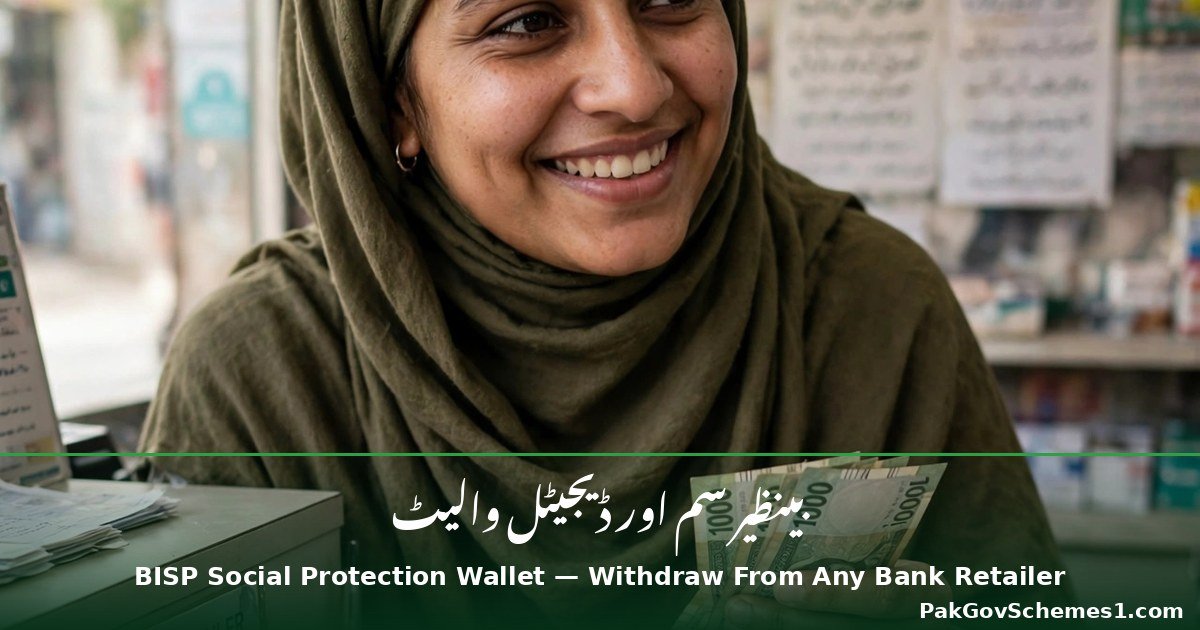
BISP Chairperson Senator Rubina Khalid announced on October 20, 2026, during a live E-Kacheri at BISP Headquarters in Islamabad, that interoperability in the BISP Social Protection Wallet will let women beneficiaries withdraw their payments from any authorized retailer of six partner banks, in any city, on any day, at any time. The same announcement confirmed a free Benazir SIM, issued only at BISP offices against the beneficiary’s CNIC, which links the wallet to her mobile phone.
This is one of the biggest payment-system changes BISP has made in 2026. If you are a BISP beneficiary, this guide explains what was officially announced, which banks are included, how to get the free SIM, how wallet activation works, and what to do to keep your money safe. If you want the practical companion walkthrough of the wallet itself, read our BISP digital wallet 2026 beneficiaries guide.
On this page: Latest Update | Six Partner Banks | How the Wallet Works | Free Benazir SIM | Wallet Activation | Eligibility | Documents | How to Withdraw | Feature Phones | Status Check | Payment Details | Mistakes to Avoid | FAQs | Safety Notice | Conclusion
Latest Update: What Was Announced on October 20, 2026
The E-Kacheri was broadcast live from BISP Headquarters, where Senator Rubina Khalid personally listened to the complaints of 28 callers and directed officials to resolve them on a priority basis. The payment announcement has two main parts:
- Interoperability: The digital wallet is now interoperable, meaning beneficiaries are no longer restricted to one city or one bank. A woman can collect her payment from any authorized retailer of the six partner banks, in any city across Pakistan, on any day and at any time.
- Free Benazir SIM: BISP will issue a free, dedicated “Benazir SIM” against the beneficiary’s CNIC, but only at BISP offices. The SIM is activated on the spot by a representative of the mobile network operator, and the wallet is linked to that SIM.
The Chairperson stated that the digital wallet system was introduced on the directives of President Asif Ali Zardari and Prime Minister Muhammad Shehbaz Sharif to ensure secure and transparent payments for women beneficiaries. The rollout’s start date has not been officially announced, so treat “any day, any time” as a description of how the system is designed to work, not a guarantee that it is active everywhere today.
One day later, on October 21, 2026, BISP’s Azad Jammu & Kashmir regional office held a training workshop on digital payments and the Social Protection Wallet. Officials clarified an important activation rule: the first instalment must be collected from an authorized retailer in line with the prescribed procedure, and that collection activates the digital wallet. After activation, later payments may be collected from other authorized retailers, subject to applicable rules and service availability.

The Six Partner Banks
According to BISP, the six partner institutions whose authorized retailers will serve beneficiaries are:
- HBL (Habib Bank Limited)
- Habib Microfinance Bank
- Bank Alfalah
- Telenor Microfinance Bank
- Bank of Punjab
- Mobilink/Jazz Bank
Reports also describe the system working through retailers connected to the One-Link network, subject to prescribed procedures and service availability. Because bank and retailer networks can change, confirm at your BISP office or retailer that the counter you are visiting is authorized before handing over your CNIC.
How the Social Protection Wallet Works
The Social Protection Wallet is a digital payment account linked to the beneficiary’s mobile number. Instead of being tied to one bank’s branch or camp, the wallet uses interoperability: any authorized retailer of any of the six partner banks can verify the beneficiary (CNIC plus biometric) and release the payment. This removes the old problem of women having to travel to a specific city or a specific bank’s camp to collect their instalment.
Free Benazir SIM: How to Get It (Step by Step)
The SIM is the key to the wallet — BISP links the wallet to the beneficiary’s mobile number, so the official instructions about the SIM must be followed exactly:
- Go to a BISP office — the free Benazir SIM is issued only at BISP offices (or a designated BISP site). It is not available from market shops or agents.
- Bring your original CNIC — the SIM is issued against the beneficiary’s own Computerized National Identity Card. Bring the original card, not a photocopy.
- Bring your personal mobile phone — you need the actual phone the SIM will go into.
- On-the-spot activation — a representative of the mobile network operator activates the SIM at the BISP office itself.
- Wait for confirmation — after activation, wallet and fund-transfer messages will arrive on that SIM. Keep them.
Do not buy or accept a “Benazir SIM” from anyone outside a BISP office — the Chairperson was explicit that official SIMs come from BISP offices only. Anyone offering one elsewhere is not working with BISP.

Activating Your Wallet: The First Instalment Rule
The wallet does not switch on by itself. BISP’s AJK office clarified the activation sequence:

- Collect your first instalment from an authorized retailer following the prescribed procedure.
- That first collection activates your digital wallet.
- After activation, later payments may be collected from other authorized retailers of the partner banks, subject to the rules and service availability.
Also important: officials advised beneficiaries to collect payments only after receiving the relevant confirmation SMS, and to count the cash before leaving the retailer counter.
Eligibility Criteria
The wallet and the free SIM are for women already enrolled as BISP beneficiaries. The announcement does not create a new registration program — it changes how existing beneficiaries receive their payments. From the Chairperson’s instructions:
- You must be an enrolled BISP beneficiary (household eligibility is decided through the official BISP survey).
- Your CNIC must be valid. Women with expired CNICs must renew them through NADRA without delay.
- A repeat household survey cannot be conducted before two years have passed since your previous survey. Do not visit BISP offices repeatedly asking for an early resurvey — it will not be processed.
Required Documents
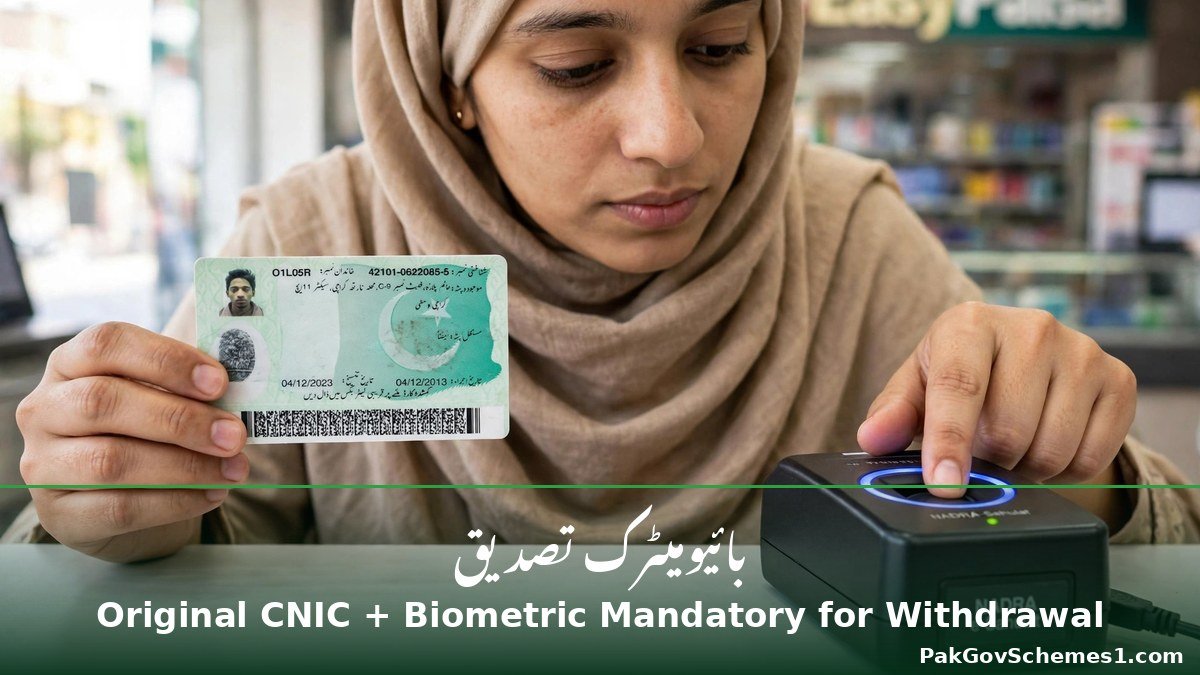
- Original CNIC — mandatory for the SIM and for every withdrawal, together with biometric verification.
- Personal mobile phone — required when collecting the SIM at the BISP office.
- Expired CNIC? Get it renewed from NADRA first. Read our guide to updating your mobile number in the BISP 8171 record if the number in BISP’s record is not your current one.
How to Withdraw: Step-by-Step
- Wait for the confirmation SMS about your payment on your Benazir SIM.
- Go to any authorized retailer of the six partner banks — in any city, on any day.
- Present your original CNIC and complete biometric verification (thumb impression). Both are mandatory.
- Do not hand your phone to the retailer or agent at any point during the withdrawal.
- Count the cash before leaving the counter.
- Keep the confirmation messages for your records — they are your proof of the transaction.
Remember: the wallet works after its first activation collection, so the very first withdrawal should follow the prescribed retailer instructions carefully.
Good News for Feature-Phone Users: No Smartphone Needed
The wallet is SIM-linked, which means it works with the confirmation SMS system rather than a banking app. According to the reported details, the Social Protection Wallet works on ordinary feature phones — you do not need a smartphone to receive the SIM, the wallet, or the payment alerts. This matters because many BISP beneficiaries use basic keypad phones.

CNIC and Payment Status Check
The E-Kacheri announcement did not change how eligibility is checked. To check your BISP payment status, use the official 8171 methods described in our check BISP payment by SMS 8171 guide or the 8171 web portal guide. Because the wallet is tied to your SIM, it is also worth checking which SIMs are registered on your CNIC (via 668) so that no unknown SIM is attached to your identity.
Payment Details
| Detail | Verified Information |
|---|---|
| Assistance Amount | Not part of this announcement. The wallet is a payment method change — instalment amounts continue under the regular BISP schedule. |
| Payment Schedule | Not officially announced for the wallet rollout itself. |
| Payment Method | Social Protection Wallet via authorized retailers of the six partner banks (interoperable, One-Link network per reports). |
| Payment Status Check | Official 8171 SMS/portal methods (see status check section). |
| Payment Collection | Authorized retailers of HBL, Habib Microfinance, Bank Alfalah, Telenor Microfinance, Bank of Punjab, Mobilink/Jazz Bank — any city, any day, any time, per prescribed procedures. |
| Deduction Complaints | Report to the relevant BISP office or through the authorized grievance system. See our BISP helpline 0800-26477 guide for the official complaint steps. |
Common Mistakes to Avoid
- Handing your phone to a retailer or agent — the Chairperson explicitly warned against this. Your phone and SIM stay in your hands.
- Getting a SIM from anywhere except a BISP office — a “Benazir SIM” from a shop or agent is not an official BISP SIM.
- Paying agents or middlemen for wallet activation, SIM issuance, or “guaranteed” payments — all official steps are free.
- Ignoring the confirmation SMS — collect payments only after receiving it, and keep the messages as records.
- Leaving the counter without counting cash — count your money before walking away.
- Visiting BISP offices repeatedly for a new survey — resurveys are not allowed before two years have passed since your last one.
- Using an expired CNIC — renew it through NADRA first, or your withdrawal will be blocked at biometric verification.


Frequently Asked Questions
What is the BISP Social Protection Wallet?
It is BISP’s digital payment system that lets women beneficiaries receive and withdraw their payments through authorized retailers of six partner banks, linked to a dedicated Benazir SIM on their CNIC. Interoperability means the wallet is not tied to one city or one bank — the beneficiary can withdraw from any authorized retailer of the partner banks in any city, any day, any time.
Which six banks are partners in the Social Protection Wallet?
BISP names HBL, Habib Microfinance Bank, Bank Alfalah, Telenor Microfinance Bank, Bank of Punjab, and Mobilink/Jazz Bank as the six partner institutions. Authorized retailers of these banks — connected through the One-Link network according to reports — will handle beneficiary withdrawals under prescribed procedures.
How do I get the free Benazir SIM?
Visit a BISP office with your original CNIC and your personal mobile phone. The SIM is issued only at BISP offices against your CNIC, and a representative of the mobile operator activates it on the spot. Do not accept or buy a “Benazir SIM” from shops, agents, or anyone outside a BISP office.
Do I need a smartphone for the wallet?
No. Because the wallet is linked to your SIM and works through confirmation SMS messages rather than a banking app, it works on ordinary feature phones. You only need the phone into which the Benazir SIM is inserted, plus your original CNIC and biometric verification at the retailer.
Can I really withdraw from any city?
That is how BISP describes the system: once your wallet is active, you are no longer restricted to one city or one bank. You may withdraw from any authorized retailer of the six partner banks nationwide. However, the rollout’s start date has not been officially announced, so the feature may not be active at every retailer on day one.

How is the wallet activated?
BISP’s regional office clarified that collecting your first instalment from an authorized retailer, following the prescribed procedure, activates the digital wallet. After that activation, subsequent payments may be collected from other authorized retailers of the partner banks, subject to the applicable rules and service availability.
What documents do I need at the retailer?
Your original CNIC and biometric verification are mandatory for every cash withdrawal. If your CNIC has expired, renew it through NADRA before visiting a retailer. Keep the confirmation SMS and the transaction messages for your records.
What should I do if a retailer deducts money from my payment?
Count your cash before leaving the counter, then report any unauthorized deduction to the relevant BISP office or through the authorized grievance redressal system. BISP has stated that unauthorized deductions from beneficiaries’ assistance will not be tolerated. Our BISP helpline guide explains the official complaint process.
Can I request a new BISP survey to become eligible?
Household eligibility is decided through the official BISP survey, and a repeat survey cannot be done before two years have passed since your previous survey. The Chairperson asked women not to visit BISP offices repeatedly to request an early resurvey.
Important Safety Notice
BISP’s own instructions are the safety rules: collect the free SIM only from BISP offices, never hand your phone to retailers or agents, keep your confirmation messages, count your cash before leaving, and never pay anyone for activation or “guaranteed” payments. Do not share OTPs, passwords, or CNIC photos with strangers. PakGovSchemes1.com is an independent informational website and is not affiliated with BISP or any government department — always verify payment and SIM details through bisp.gov.pk or your nearest BISP office.
Conclusion
The BISP Social Protection Wallet 2026 is a genuine step toward easier payments: interoperability across six partner banks, withdrawal from any authorized retailer in any city on any day, a free Benazir SIM issued at BISP offices, and a wallet that works on ordinary feature phones. The official picture is clear — original CNIC and biometric verification are mandatory, the first instalment activates the wallet, and phones stay in beneficiaries’ hands. The one thing still missing is the official rollout start date, which has not been announced. Check bisp.gov.pk and this page for verified updates before you travel to a retailer.
Official sources checked:
- BISP official website — bisp.gov.pk (Chairperson’s video message on the launch of the Social Protection Wallet, homepage, checked 2026-10-22)
- SABAH News — “BISP Chairperson Senator Rubina Khalid Holds Live E-Kacheri at Headquarters” (Oct 20, 2026) — https://sabahnews.net/english/news/bisp-chairperson-senator-rubina-khalid-holds-live-e-kacheri-at-headquarters/
- 99News — “BISP Introduces Digital Wallet Interoperability for Beneficiaries Nationwide” (Oct 20, 2026) — https://99news.com.pk/bisp-introduces-digital-wallet-interoperability-for-beneficiaries-nationwide/
- UrduPoint (APP wire) — “BISP Introduces New System To Streamline Payments To Beneficiaries” (Oct 21, 2026) — https://www.urdupoint.com/en/pakistan/bisp-introduces-new-system-to-streamline-paym-2273753.html
Disclaimer: PakGovSchemes1.com is an independent informational website and is not affiliated with any government department. Information is compiled from available official announcements and other identified sources and may change. Please verify eligibility, registration status, payment details, and deadlines through the relevant official government website before taking action.

