NADRA CNIC Modification 2026 is the official process for correcting the details printed on your Computerised National Identity Card — your name, your father’s name, your date of birth, your address, your marital status, your photo or your signature. A wrong detail can block your bank account, passport application, SIM registration and even BISP 8171 payments, because every government system reads the same NADRA record. This guide explains the verified 2026 process: what you can change online through the PakID app, what needs a NADRA centre visit, the official fees, the documents for each correction, and how to track your application.
Quick Overview
| Information | Details |
|---|---|
| Service name | NADRA CNIC Modification / Correction 2026 |
| Responsible department | National Database and Registration Authority (NADRA) |
| Service purpose | Correct or update name, father’s name, date of birth, address, marital status, photo or signature on a CNIC / Smart CNIC |
| Who can apply | Any Pakistani citizen holding a valid CNIC or Smart CNIC with a wrong or outdated detail |
| Online method | Pak Identity (PakID) app or id.nadra.gov.pk — selected fields only |
| In-person method | Any NADRA Registration Centre or Mega Centre — required for name and date-of-birth changes |
| Fee (standard CNIC) | Rs 400 Normal / Rs 1,150 Urgent / Rs 2,150 Executive |
| Fee (Smart CNIC) | Rs 750 Normal / Rs 1,500 Urgent / Rs 2,500 Executive |
| Processing time | Standard CNIC: 15 / 12 / 6 days; Smart CNIC: 31 / 23 / 9 days (after approval) |
| Tracking | PakID app, SMS tracking ID to 8400, or helpline 1777 |
| Official website | nadra.gov.pk (online applications at id.nadra.gov.pk) |
| Last updated | 13 November 2026 |
Latest Update — November 2026
There is no new NADRA announcement about CNIC modification for November 2026. The rules in force are the ones already published by NADRA: the fee structure below, the PakID app’s list of changeable fields, and the Services Charter rules for date-of-birth changes. Many websites invent a “new update” every month; there is none to report.
Two developments from earlier in 2026 still matter. NADRA launched a home-based update service in January 2026 through the Pak-ID app, letting Smart CNIC holders update selected non-printable information from home. NADRA also relaunched its website in 2026 and removed the old public tracking page, so tracking now happens in the PakID app, by SMS to 8400, or by calling 1777.
What You Can Change on Your CNIC
NADRA divides corrections into two groups: printable details, which appear on the physical card and need a new card, and non-printable details, which live in NADRA’s database and can be updated without reprinting the card.
Printable details you can correct: your name (a spelling correction or a full legal name change), your father’s name, your date of birth, your present and permanent address, your marital status, your photograph and your signature.
Non-printable details you can update: your mother language, your qualification, your blood relative record, and your contact details — from home through the Pak-ID app since January 2026, for Rs 100 at a centre or a reported USD 5 through the app. Your CNIC number never changes. A date-of-birth change is the most restricted correction: generally allowed only once, with strong proof, and a change over five years also needs the Director General’s approval.
Who Can Apply for a CNIC Correction
Any Pakistani citizen who already holds a CNIC or Smart CNIC can apply to correct it. You must be the cardholder yourself; nobody else can apply on your behalf, because NADRA verifies your identity with your fingerprints and photograph. Overseas Pakistanis can apply through the PakID app or web portal, with fees charged in US dollars for NICOP-related cases. You need a mobile number registered in your own name, because NADRA sends an OTP during the online process and status messages afterwards.
For a centre visit, bring your original CNIC — NADRA defaces the old card and returns it once the new card is made — plus the original document that proves the correct detail. Photocopies alone are not enough. Children under 18 hold a Juvenile Card, covered in our separate guide.
How to Correct Your CNIC Online via the PakID App
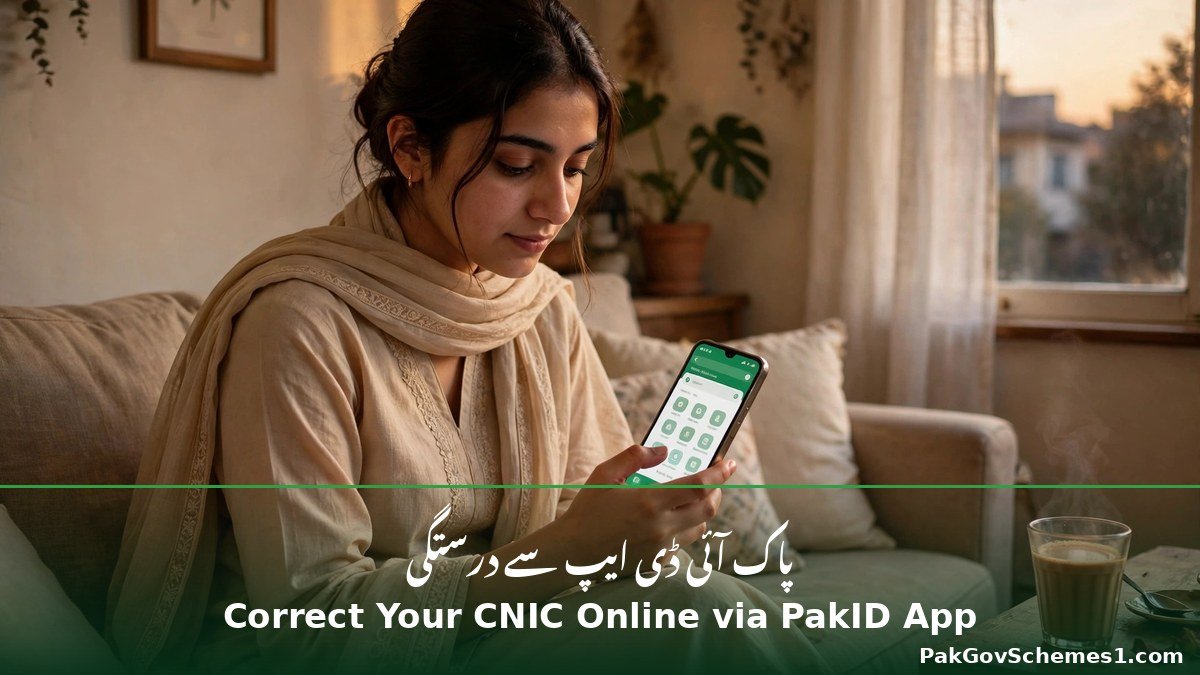
The Pak Identity app — published by NADRA on Google Play and the Apple App Store, and also at id.nadra.gov.pk — is the official online channel, but it works for selected modifications only. Under NADRA’s PakID FAQ, the Smart ID fields you can change in the app are marital status, address, photo, signature, mother language, blood relative, qualification and contact details. Name and date of birth are not on that list, so if the app does not offer your field, apply at a NADRA centre. No other app or website can correct CNIC details.
- Download the official app. Install “Pak Identity” (publisher: National Database and Registration Authority) or open id.nadra.gov.pk.
- Create an account or log in with your CNIC number and a mobile number in your own name, then enter the OTP NADRA sends you.
- Choose Modification — “Update Card” for printable changes, “Update Info” for non-printable updates.
- Add the field to change. Use the add (+) button to select the field, such as address or marital status, and type the correct detail in English and Urdu.
- Upload your supporting document — nikahnama for marital status, utility bill for address — as a clear, uncropped JPG or PDF.
- Review and submit. Check every letter first; a typing mistake here becomes the mistake on your new card.
- Pay after review. For Smart ID modifications, NADRA reviews first and then emails you to pay.
- Save your tracking ID and PIN — you need them to track the application and collect the card.

How to Correct Your CNIC at a NADRA Centre
A centre visit is required for name, father’s-name and date-of-birth changes, and it is the safer route for any complicated case. Go to any NADRA Registration Centre or Mega Centre with your original CNIC and the original supporting document, plus a photocopy of each.
- Take a token and explain the correction — exactly which field is wrong and what the correct detail is.
- Submit your documents. The officer checks the originals against NADRA’s record and keeps the copies for the file.
- Give fresh biometrics and a photograph if asked — standard for a modification.
- Check the printed form carefully before you sign it — those details go on your new card.
- Pay the fee for your chosen category and keep the receipt, which carries your tracking ID and PIN.
- Collect the new card when ready, or wait for home delivery if offered at your centre. Your old CNIC is defaced and returned to you.
If you cannot travel yourself, NADRA’s Biker Service can collect some applications from your home in the cities where it operates, and Mobile Registration Vans visit remote areas on a published schedule.
Fee and Processing Time — Official NADRA Rates
The table below reproduces NADRA’s published fee structure as verified against nadra.gov.pk in November 2026. The live NADRA fee page returned an access error when we checked it on 13 November 2026, so these figures come from NADRA’s published table as reproduced by several independent guides that cite nadra.gov.pk directly. Confirm the amount in the app or at the counter before paying.
| Service | Normal | Urgent | Executive |
|---|---|---|---|
| Standard CNIC modification | Rs 400 — about 15 days | Rs 1,150 — about 12 days | Rs 2,150 — about 6 days |
| Smart CNIC modification | Rs 750 — about 31 days | Rs 1,500 — about 23 days | Rs 2,500 — about 9 days |
| Non-printable field update (centre) | Rs 100 — about 2 days | — | — |
| Non-printable field update (PakID app) | USD 5 (reported) | — | — |
Note two things. The Smart CNIC takes longer than the old standard CNIC at every speed, because the chip card needs extra manufacturing — a “normal” Smart NIC modification takes about 31 days, not 15. And the clock starts after your case is approved, not on the day you apply. Delivery charges are separate; a home-delivery charge of around Rs 165 is reported but not officially confirmed.
Date-of-Birth Correction — Extra Charges
Correcting your date of birth carries a separate age-modification charge: up to 1 year, Rs 1,000; over 1–2 years, Rs 2,000; over 2–3 years, Rs 3,000; over 3 years, Rs 5,000. A second age change is listed at Rs 10,000. Whether the age charge is added to the modification fee in every case is not officially confirmed — ask the counter officer for your total.


Documents Required for Each Type of Correction
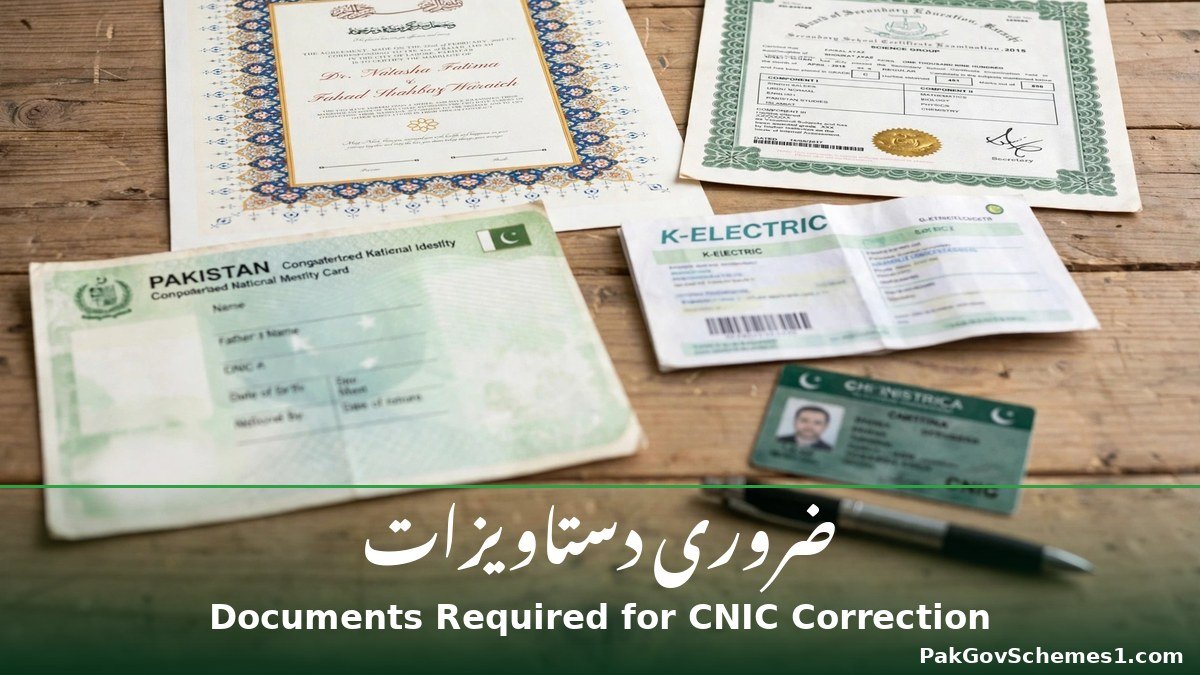
The document is the correction: NADRA changes a record because an accepted document proves the right detail, not because you say so. Bring the original plus a photocopy.
| What you are correcting | Document you need |
|---|---|
| Name spelling | Computerised birth certificate or educational certificate showing the correct spelling; no document needed where no computerised birth certificate was ever issued |
| Full name change | Verified computerised birth certificate, or a notarised declaration in NADRA format C1/C2; a court order may be required for a major legal name change |
| Father’s name | Birth certificate, educational certificate, or father’s CNIC showing the correct name |
| Date of birth | Verified computerised birth certificate, matric certificate, 9th/10th mark sheet, valid passport, verified service record with NOC, or another verified government document showing the date |
| Married status | Computerised nikahnama / marriage registration certificate from the Union Council |
| Divorced or widowed | Union Council-registered divorce certificate (for khula: court decree plus Union Council registration) or spouse’s death certificate |
| Permanent address | One of: a blood relative’s or spouse’s CNIC showing that address, a computerised utility bill in your or a parent’s name, a property document, a verified domicile/PRC, an allotment letter at least 3 years old, or an affidavit with the owner’s CNIC and property document |
| Present (temporary) address | One of the permanent-address proofs, a rent deed or affidavit with the house owner, or a Union Council Resident Certificate (Sindh); no document needed for a foreign address |
| Photo or signature | No supporting document — fresh biometrics and photograph are taken at the centre |
| Religion change | Certificate from the relevant religious authority (for example Dar-ul-Ifta) — ask the centre which certificate applies |
The Union Council rule for date of birth: if your birth is already recorded with a Union Council (or Cantonment Board / CDA), the birth certificate must be corrected first at that same Union Council — only then will NADRA update your card.
How to Check Your Application Status
After you apply you receive a tracking ID and a PIN on your receipt or in the app. That tracking ID is not your CNIC number — it is the number on your application receipt. Three official ways to check your card’s progress:
- PakID app: open the app, go to Tracking (or Existing Applications), and enter your tracking ID and PIN. This shows the most detail, and applications made in the app also show their status in the app inbox.
- SMS to 8400: type only your tracking ID — no spaces, no words, no hyphens — and send it to 8400 from a Pakistani mobile number. This is the fastest check and needs no internet. If you get no reply, use the app or call 1777.
- Helpline 1777: call 1777 from a mobile in Pakistan, or +92 51 111 786 100 from a landline or from abroad, with your tracking ID ready. The call centre runs 24 hours a day.
Typical stages: received, under verification, approved, printed, dispatched or ready for collection. If the status stays on “under verification” too long, call 1777 — do not submit a second application, because a duplicate can complicate the first one.
Common Problems and How to Fix Them
Application rejected for weak documents. The most common failure — for example a nikahnama that is not computerised. Read the rejection reason, get the correct document, and re-apply. You will normally have to pay the fee again.

Date-of-birth change refused, or the app does not offer your field. If the change is large, the proof is thin, or you have already changed your date of birth once, NADRA can refuse; a change over five years needs the Director General’s approval, and a Union Council birth record must be corrected first. Name and date of birth are also not in the PakID app’s changeable fields — that is NADRA’s rule, so apply at a centre.
Tracking ID gets no reply on 8400, the new card repeats the mistake, or the card is late. For 8400, send only the tracking ID from a Pakistani SIM — some blogs wrongly say to send your CNIC number. A repeated mistake usually means the form you signed carried the old detail; go back to the centre with your receipt. For delays, remember the clock starts after approval and a normal Smart NIC takes up to 31 days; if the time has genuinely passed, call 1777.
Official Helpline and Complaint Procedure
For any problem — a rejected application, a delay, a wrong detail on the new card, or a payment question — use NADRA’s own channels. The helpline is 1777 from any mobile in Pakistan, and +92 51 111 786 100 from a landline or from abroad; the call centre is open 24 hours a day. You can also email csd@nadra.gov.pk. Keep your tracking ID, CNIC number and payment receipt ready. To complain in person, visit the centre where you applied with your original receipt and CNIC. If anyone at a centre asks for extra money beyond the official fee, do not pay it — report it to the helpline.
Common Mistakes to Avoid
- Paying an agent who promises a guaranteed correction. No agent can guarantee NADRA approval — NADRA decides on your documents.
- Trusting fake NADRA websites and WhatsApp numbers. Only nadra.gov.pk and the official Pak Identity app (id.nadra.gov.pk) are official. Any other site asking for your CNIC scan, OTP or payment is not NADRA.
- Sharing your CNIC image, OTP or tracking PIN online. Never post these in Facebook or WhatsApp groups or website comments — they are enough for someone to impersonate you.
- Believing the “Rs 500 modification fee” claim. No Rs 500 band exists in NADRA’s fee table — the real bands are Rs 400/1,150/2,150 (standard CNIC) and Rs 750/1,500/2,500 (Smart CNIC).
- Applying for a DOB change before fixing the Union Council record. If your birth is registered with a Union Council, correct the birth certificate there first, or NADRA will refuse the application.
- Not checking the form before signing. Read the printed application form letter by letter at the centre — once you sign it, those details go on your new card.

Frequently Asked Questions
Can I correct my name on my CNIC online through the PakID app?
Name changes are not listed among the Smart ID fields NADRA allows in the PakID app, so you must visit a NADRA Registration Centre with proof such as a verified birth certificate or a notarised declaration. If the app does not offer the field, the centre is the only route.
How many times can I change my date of birth on my CNIC?
Generally only once, and only with strong documentary proof such as a verified birth certificate or matric certificate. A change of up to five years needs a supporting document, while a larger change also needs the NADRA Director General’s approval. A second age change is listed at Rs 10,000.
What is the fee for NADRA CNIC modification in 2026?
For a standard CNIC the fee is Rs 400 Normal, Rs 1,150 Urgent or Rs 2,150 Executive. For a Smart CNIC it is Rs 750 Normal, Rs 1,500 Urgent or Rs 2,500 Executive. Non-printable updates cost Rs 100 at a centre. Confirm the amount before paying.
How long does a CNIC modification take?
A standard CNIC modification takes about 15 days Normal, 12 days Urgent or 6 days Executive. A Smart CNIC takes longer — about 31, 23 or 9 days — because the chip card needs extra manufacturing. The clock starts after your case is approved, not on the day you apply.
Can I change my address on my CNIC from home?
Yes. Address is one of the fields NADRA allows in the PakID app, so you can apply online with a supporting document such as a computerised utility bill, a property document or a relative’s CNIC showing that address. You can also change it at any NADRA centre.

What documents do I need to change my marital status?
For marriage, a computerised nikahnama or marriage registration certificate from the Union Council. For divorce, a Union Council-registered divorce certificate — for khula, the court decree plus the Union Council’s registration of it. For widowhood, you need the spouse’s death certificate as proof.
How do I track my CNIC modification application?
Use your tracking ID from the receipt: check it in the PakID app under Tracking, send only the tracking ID by SMS to 8400 from a Pakistani mobile, or call 1777 (or +92 51 111 786 100 from a landline or abroad). Do not send your CNIC number to 8400.
Can I change my father’s name on my CNIC?
Yes, with proof. You need a document showing the correct name, such as your birth certificate, an educational certificate, or your father’s CNIC. Father’s-name corrections are printable changes, so they need a modification application and a new card, and are normally done at a NADRA centre.
What should I do if my CNIC correction application is rejected?
Read the rejection reason first — it usually names the missing or wrong document. Get the correct document, such as a computerised nikahnama or a corrected Union Council birth certificate, and apply again. If the reason is unclear, call 1777 with your tracking ID.
Is the first CNIC free, and is a modification free too?
The first CNIC is free under normal processing, but a modification is never free — you pay the Normal, Urgent or Executive fee for your card type. The only cheap update is a non-printable field change, which costs Rs 100 at a centre. Beware of anyone offering a “free” correction online.
Important Safety Notice
Use only NADRA’s verified channels: nadra.gov.pk, the Pak Identity app, the portal id.nadra.gov.pk, the helpline 1777, and NADRA Registration Centres. Never share your CNIC image, OTP, tracking PIN or password with unknown people, agents or websites, and never pay anyone outside the NADRA counter or the official app. PakGovSchemes1.com is an independent informational website, not affiliated with NADRA or any government department.
Conclusion
NADRA CNIC Modification 2026 is straightforward once you know the route: the PakID app for address, marital status, photo and other listed fields, and a NADRA centre for name, father’s name and date-of-birth changes, with the right document in hand. Fees are Rs 400 to Rs 2,150 for a standard CNIC and Rs 750 to Rs 2,500 for a Smart CNIC, and your tracking ID lets you follow the application by app, SMS to 8400 or helpline 1777. Confirm the details through NADRA before you apply.
Sources
- Official — NADRA fee structure (nadra.gov.pk/feeStructure): fee bands reproduced and cross-checked; the live page returned an access error (HTTP 403) on 13 November 2026.
- Official — Pak Identity portal (id.nadra.gov.pk): NADRA’s official online channel for modification applications.
- Official — NADRA Customer Support: helpline 1777 (24/7), +92 51 111 786 100, csd@nadra.gov.pk.
- Reported — UrduPoint, “How to correct your name or date of birth on a CNIC” (verified 4 November 2026 against NADRA): https://www.urdupoint.com/how-to/en/cnic-name-dob-correction.html — Services Charter DOB rules, PakID FAQ field list, fee table.
- Reported — UrduPoint, “How to change the address on your CNIC” (verified 4 November 2026): https://www.urdupoint.com/how-to/en/cnic-address-change.html — address documents and app process.
- Reported — ProPakistani, “NADRA Shares Easy Process to Change Address on CNIC” (5 November 2026): https://propakistani.pk/?p=1113050 — fee bands.
- Reported — identityservices.pk, NADRA fee structure and CNIC guide (September–October 2026): https://identityservices.pk/nadra-fee-structure/ and https://identityservices.pk/nadra-cnic-id-card-pakistan/ — fee bands, processing times, age-change charges.
- Reported — Pakistan News Desk, “NADRA’s New Home-Based CNIC Update Service Explained” (January 2026 launch): https://www.pakistannewsdesk.com/nadra-home-based-cnic-modification-service/ — home-based non-printable updates.
- Reported — Wego Travel Blog, “NADRA ID Tracking 2026” (26 August 2026): https://blog.wego.com/nadra-id-tracking-check/ — SMS 8400, helpline 1777, removal of the public tracking page.
Disclaimer: PakGovSchemes1.com is an independent informational website and is not affiliated with any government department. Information is compiled from available official announcements and other identified sources and may change. Please verify eligibility, registration status, payment details, and deadlines through the relevant official government website before taking action.

