
NADRA CNIC Renewal Online 2026 – PakID App Guide
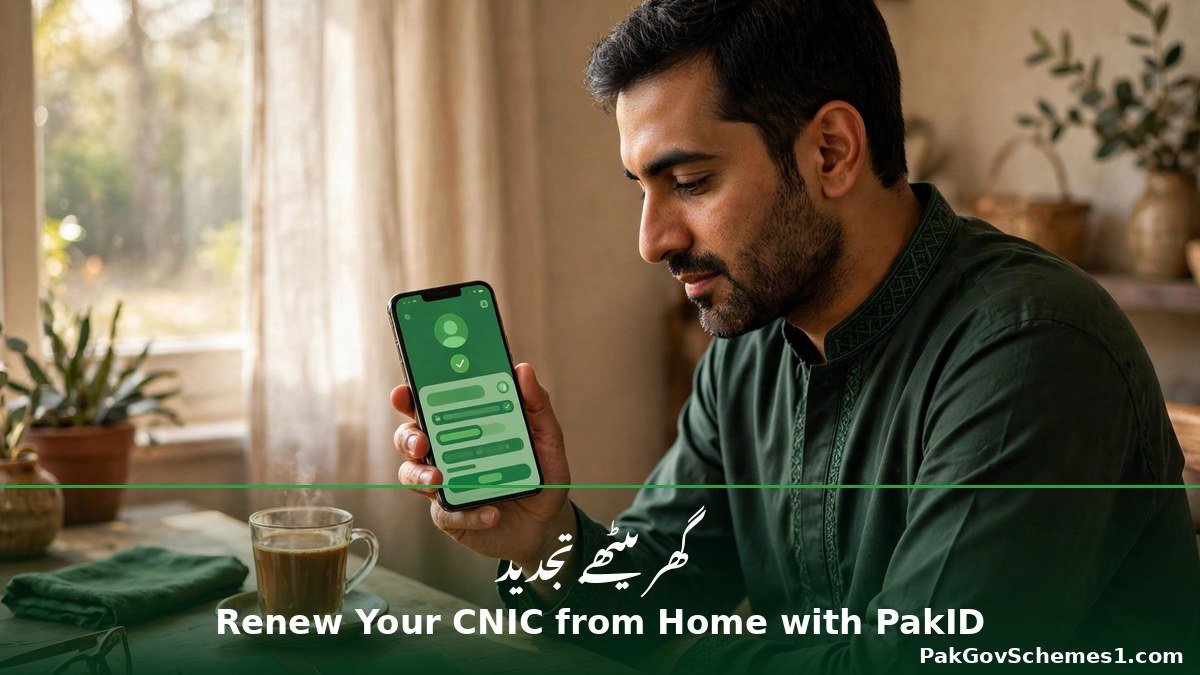
NADRA CNIC Renewal Online 2026 is now a job you can finish from home in most cases, thanks to NADRA’s PakID app. An expired CNIC quietly breaks everyday life — your SIM stops working, your bank freezes transactions, and your BISP payments can stall — yet most people only discover the expiry when a counter clerk points it out. This guide, checked against official NADRA sources on 9 November 2026, walks you through the full PakID renewal: fees, photo and fingerprint capture, tracking, and the fake-app scams to avoid.
Quick Overview
| Information | Details |
|---|---|
| Service | CNIC / Smart NIC renewal |
| Department | National Database and Registration Authority (NADRA) |
| Route | PakID mobile app (“Pak Identity”, developer NADRA) or id.nadra.gov.pk |
| Who can renew | Existing CNIC holders renewing an expiring or expired card |
| Smart NIC fee | Rs 750 (Normal) / Rs 1,500 (Urgent) / Rs 2,500 (Executive) |
| Older CNIC fee | Rs 400 (Normal) / Rs 1,150 (Urgent) / Rs 2,150 (Executive) |
| Home delivery | Rs 165 within Pakistan; card couriered to your address |
| Tracking | Tracking ID in the PakID app; SMS it to 8400 (reported) |
| Helpline | 1777 (mobile) or +92 51 111 786 100, 24/7 |
| Last updated | 9 November 2026 |
Latest Update — 9 November 2026
As of 9 November 2026, NADRA has announced no new fee change or renewal deadline, and there is no deadline for renewing an expired CNIC. The latest developments are in the PakID app: version 5.7.4 (September 2026) added digital copies of your CNIC, NICOP or Pakistan Origin Card, automatic signature cropping, and an FIA complaint section, while a May 2026 update added a CNIC usage-history feature showing where your card has been used in the past ten years.
On 11 October 2026, NADRA announced that citizens can now change their CNIC photograph and permanent address from home through the PakID app — reported through news channels, as it could not be found on NADRA’s own website. In October 2026, NADRA repeated its warning that it has no authorised agents or dealers: online services run only through the PakID app and official gov.pk websites.
Eligibility Criteria
Online renewal is for people who already hold a CNIC. You can renew a card that is about to expire or one that has already expired — expiry does not block renewal, and NADRA has announced no late penalty. You need a smartphone with a working camera for the photo, fingerprints and signature, plus a mobile number and email for OTP verification.
Two groups cannot finish online. First-time CNIC applicants must visit a NADRA Registration Centre in person, because their biometrics have never been captured. If your fingerprints are too worn for the phone to read — common for labourers, masons and older citizens — a centre visit is the answer. Major corrections to your name, date of birth or family record may also need a centre visit. Renewal does not change your CNIC number.
Registration Procedure: Step by Step
There are two routes: the PakID app from home, and the NADRA centre route for cases the app cannot handle.
Route 1 — Renew through the PakID app
- Download the official app. Search for “Pak Identity” in your app store and check the developer is NADRA. Never install a PakID APK file sent on WhatsApp.
- Create your account. Register with your mobile number and email, verify both with the OTP codes, and log in.
- Choose Identity Card, then Renew. Select the Renewal option and enter your 13-digit CNIC number.
- Capture your photo. Face the camera in bright, even daylight against a plain white wall — no glasses, no cap, neutral expression.
- Scan your fingerprints. Follow the on-screen prompts. Wash your hands with soap, dry them completely, and try again if a finger fails — but do not retry endlessly.
- Add your signature. Sign on the phone screen; the app crops it automatically.
- Choose your delivery address and category. Pick home delivery or centre collection, then Normal, Urgent or Executive.
- Pay inside the app by debit or credit card, or by mobile wallet where offered. Save the receipt.
- Keep your Tracking ID safe. The app issues it when the fee is paid — you need it for every status check.
Route 2 — Renew at a NADRA centre
Visit your nearest NADRA Registration Centre or Mega Centre with your old CNIC. Take a token, give your fingerprints and photo at the counter, choose your category, pay, and collect your receipt with the Tracking ID. Use this route if the app cannot read your fingerprints or NADRA asks for in-person verification. First-time applicants must use this route.

CNIC Check and Application Status
Your Tracking ID is the key to every status check — not your CNIC number. The most reliable method is inside the PakID app: open Application, then Tracking, enter your Tracking ID and PIN code, and tap Get Details. You also get SMS alerts on submission and printing.

A second method is SMS: send your Tracking ID to 8400 for the current status by reply. This code is widely used, but NADRA does not publish it on its own website, so cross-check the result inside the PakID app. If the status has not changed for longer than your category promises, call 1777.
To check a CNIC itself, send your 13-digit CNIC number without dashes to 8300. That Election Commission and NADRA service returns your voter registration, family and address details — useful for confirming what NADRA has on file, but not a full validity certificate. Some guides also mention 7000 for an expiry check; that code is reported, not confirmed on NADRA’s site. Never share your CNIC photo, Tracking ID or OTP with strangers.
Payment Details and Schedule
| Detail | Verified Information |
|---|---|
| Smart NIC renewal — Normal | Rs 750; 31 days |
| Smart NIC renewal — Urgent | Rs 1,500; 23 days |
| Smart NIC renewal — Executive | Rs 2,500; 9 days |
| Older CNIC renewal — Normal | Rs 400; 15 days |
| Older CNIC renewal — Urgent | Rs 1,150; 12 days |
| Older CNIC renewal — Executive | Rs 2,150; 6 days |
| Home delivery | Rs 165 within Pakistan |
| Payment method | Debit/credit card or mobile wallet in the app; cash at a centre counter |
| Payment status check | Tracking ID in the PakID app, or 1777 |
| Fee source | NADRA’s published fee schedule; confirm in PakID before paying |
These are processing times, not delivery guarantees, and Normal can be upgraded to Executive later through the app. A first CNIC is free on the Normal track (Rs 1,150 Urgent, Rs 2,150 Executive) — a different service from renewal, not available fully online. NADRA revises its fee schedule, so never trust a fee figure from an old guide. The figure on the PakID payment screen is the only one that matters.

Required Documents
For a straightforward renewal through the app, you need very little paperwork, because NADRA already holds your record. Keep your old CNIC number ready, your mobile number and email accessible for OTP verification, and a debit or credit card or mobile wallet for the fee. At a centre, take your old CNIC itself. If your marital status, name or family record has changed, take the supporting document — for example a marriage or death certificate. For a lost card, choose the reprint or duplicate option instead. Keep the receipt and Tracking ID until the new card arrives.
Troubleshooting
- Photo rejected: almost always lighting or background. Retake in bright daylight against a plain white wall.
- Fingerprints failing: wash and fully dry your hands, and try once more. If the phone still cannot read them, visit a NADRA centre — its scanners handle worn prints far better.
- App will not accept your CNIC number: type all 13 digits slowly, without dashes or spaces. If it still fails, visit a centre to correct your record.
- Payment deducted but no confirmation: do not apply again or pay twice. Wait, check your bank statement, then contact NADRA with the payment reference.
- Status stuck for weeks: if the wait has passed your category’s time, call 1777.
- No SMS reply from 8400: the code is widely used but not published by NADRA, so an absent reply proves nothing.
- Card not delivered: confirm the delivery address you entered, then call 1777 with the Tracking ID. A wrong house number or a missed courier visit is the usual cause.

Official Helpline and Complaint Procedure
NADRA’s helpline is 1777 from any mobile phone, or +92 51 111 786 100 from a landline or from abroad. It runs 24 hours a day and handles application status, complaints and general guidance — keep your Tracking ID ready before you call. For a written complaint, use complaints.nadra.gov.pk, attaching your Tracking ID, CNIC number and screenshots.

Use the helpline to report a wrong status, a delayed card, a payment deducted without confirmation, or anyone demanding money in NADRA’s name. If a fake website or a caller asking for an OTP cheated you, also report it to the National Cyber Crime Investigation Agency on 1799. NADRA has no authorised agents or dealers — anyone offering to process your card for a fee is not working for NADRA.

NADRA CNIC Renewal Online 2026: Fake Claims Debunked
Renewal attracts scammers because an expired CNIC feels urgent. The claim that an agent can renew your card “faster” for an extra fee is false — speed is set by the category you choose in the app, and no agent can change NADRA’s queue. Websites that add words to NADRA’s name, such as id.nadra.gov.pk.com, are not official; NADRA’s spokesperson has confirmed the only official website is nadra.gov.pk and the only official app is Pak Identity. In March 2026, the National Cyber Emergency Response Team reported nine fake NADRA-style phishing sites blocked in a month. In October 2026, a “verification fee” phone scam was reported: callers posing as NADRA officers demanded a fee and asked for CNIC details and OTPs.
Common Mistakes to Avoid
- Installing a fake PakID app from a WhatsApp or Facebook link instead of the official store listing.
- Paying an agent who promises a “fast” renewal — speed comes only from your chosen category.
- Sharing your CNIC photo, OTP or app password with anyone.
- Starting a second application after a payment problem.
- Taking the photo at night or against a busy background.
- Trusting a fee figure from an old guide instead of the PakID payment screen.
- Entering a wrong delivery address.
Frequently Asked Questions
How do I renew my CNIC online in 2026?
Download the official Pak Identity app, create an account with your mobile and email, choose Identity Card, then Renew, enter your CNIC number, capture your photo, fingerprints and signature, choose a category, pay the fee shown, and track delivery with your Tracking ID.
Can I renew an expired CNIC online?
Yes. Expiry does not block online renewal, and NADRA has announced no deadline or late penalty for renewing an expired card. Renew as soon as you notice, because an expired CNIC can freeze bank, SIM and BISP services until the new card arrives.
What is the NADRA CNIC renewal fee in 2026?
For a Smart NIC renewal, NADRA’s published schedule lists Rs 750 Normal, Rs 1,500 Urgent and Rs 2,500 Executive, plus Rs 165 for home delivery. An older CNIC costs Rs 400, Rs 1,150 or Rs 2,150. Confirm the amount in PakID before paying.
How long does NADRA CNIC renewal take?
For a Smart NIC, published processing times are about 31 days Normal, 23 days Urgent and 9 days Executive. An older CNIC takes about 15, 12 or 6 days. These are processing times, not delivery guarantees, and Normal can be upgraded later.

How do I track my NADRA CNIC renewal?
Use the Tracking ID issued when you paid. In the PakID app, open Application, then Tracking, enter the Tracking ID and PIN code, and tap Get Details. You can also SMS the ID to 8400, or call helpline 1777 with it.
What if my fingerprints do not scan on the phone?
Wash your hands with soap, dry them completely, and try once more. If the phone still cannot read them, stop and visit a NADRA Registration Centre instead. Centre staff use professional scanners that handle worn fingerprints far better than a phone.
Can I renew my CNIC without visiting a NADRA centre?
In most cases, yes. A renewal can be completed entirely through the PakID app, with the new card couriered home. A centre visit is still needed if fingerprints will not scan, if NADRA asks for in-person verification, or for a first-time CNIC.
Is the PakID app safe for CNIC renewal?
Yes, if you download the genuine NADRA app from the official store and never share your login or OTP. NADRA has no authorised agents, and staff will never call for your app password or an OTP. Fake apps and lookalike sites are the real risk.
What documents do I need for CNIC renewal?
For an online renewal you need your old CNIC number, a mobile number and email for OTP checks, and a card or mobile wallet for the fee. At a centre, take the old CNIC itself, plus supporting documents only if a record changes.
What should I do if someone asks me to pay a NADRA “verification fee”?
Do not pay and do not share your CNIC details or OTP. NADRA never calls citizens to demand a verification fee. Hang up, note the caller’s number, and report it to the NADRA helpline 1777 and the cybercrime helpline 1799.
Important Safety Notice
Use only the official PakID app published by NADRA and the official websites nadra.gov.pk and id.nadra.gov.pk. Never share OTPs, passwords, CNIC photos or Tracking IDs with unknown individuals, and never pay an agent who promises a faster renewal. PakGovSchemes1.com is an independent informational website, not an official government department; confirm the current fee inside the PakID app before paying.
Conclusion
NADRA CNIC Renewal Online 2026 through the PakID app is the fastest way to renew an expiring or expired card: download the official app, capture your photo and fingerprints at home, choose Normal, Urgent or Executive, pay the fee shown, and track the card with your Tracking ID. A centre visit is the answer when fingerprints will not scan or NADRA asks for in-person verification. Renew early, trust only nadra.gov.pk and the PakID app, and never pay an agent who demands a fee.

Related Guides
NADRA Duplicate CNIC 2026 — lost or damaged card. 8171 New Registration 2026 — BISP Dynamic Survey. BISP Payment Schedule 2026. BISP Tehsil Office Locator 2026 — nearest office. BISP 8171 Status Messages Explained 2026. BISP 8171 App 2026 — Real or Fake? — fake-app warning.
Official Sources
- NADRA — nadra.gov.pk (official site; fee page returned HTTP 403 on 9 Nov 2026)
- Pak Identity Portal — id.nadra.gov.pk (official portal)
- NADRA — About PakID (official PakID information)
- NADRA Complaints Portal — complaints.nadra.gov.pk
- UrduPoint — “How to Renew Your CNIC Online with the Pak ID App” (fees, steps, tracking; 4 November 2026)
- ProPakistani, 21 October 2026 (NADRA warning: no authorised agents)
- Geo Fact Check (bogus UK-based NADRA website)
- Pakhtun Digital, 27 May 2026 (CNIC usage-history feature)
- 365 News, 2 September 2026 (PakID v5.7.4: digital CNIC, FIA section)
- Pakera, 12 October 2026 (11 Oct 2026 photo/address change, reported)
Reported context: JanoPK; The Pakistan Connect; IdentityServices.pk; FraudGuard; The Asian Mirror.
Disclaimer: PakGovSchemes1.com is an independent informational website and is not affiliated with any government department. Information is compiled from available official announcements and other identified sources and may change. Please verify eligibility, registration status, payment details, and deadlines through the relevant official government website before taking action.

